Master California Travel Videos: Pro Smartphone Tricks!
Whoa, seen those killer California moments? Huntington surf, Yosemite sunsets. All with a phone. Because everyone says the best camera is the one you’ve got. Usually, that’s your phone. But are you really using it right for your California Travel Video Tips? Probably not. Forget missing that perfect shot. Hands full. App slow. No excuses now. We’re talking pro video. From your pocket. Seriously.
Use buttons for fast, sneaky video. Never miss a moment
No touchscreen fumbling. Not when stuff happens. Tahoe snowball fights, Santa Monica performers. Gotta be fast. Your phone’s buttons? You can set ’em up for the camera.
Double-tap power for the camera. Volume buttons? Those start/stop recording. So easy. Record without even looking at your screen. Pure magic. Catch those California moments. Blink, and you miss ’em.
Set up shortcuts for photos & videos. Speeds things up
Seriously, why waste time picking photo or video AFTER opening the app? Happens all the time when something cool pops up. Separate shortcuts? Boom. No more brain scramble.
Long-press the camera icon. Drag the video option to your home screen. It’s a separate button now. Do it for photos too. Two ways in. Easy. Decide before you tap. Motion or still? Your call.
Shoot important moments in 4K/8K. Snag high-quality pics later!
Certain moments? Gotta remember ’em. Memory capturing? Video it. Relive the vibe, the feels. So much better.
Big deal happening? Crank up that video resolution. Regularly shooting HD? Switch to 4K or even 8K. For important stuff. If your phone can handle it. Why? You can pull amazing photos from that video later. Like a bajillion photos, all at once. And another thing: Max resolution takes space. But some moments? Totally worth it. Plus, some phones bust out “Single Take” mode. AI grabs a ton of shots and videos from one quick burst. Great for quick shares.
Do the ‘3-shot sequence.’ Not one long, boring take. Better stories!
Seen someone just wave their phone around? Wildly? Thinkin’ it’s cool? Nah. Just motion sickness. Doc makers do this for a reason. Storytelling. It’s “3 > 1,” folks.
Don’t do one long recording. Break it up. Three different shots. Think a story has parts. Beginning, middle, end. Shoot wide to show where you are. Then go telephoto on a person. Finally, standard lens to show them with their surroundings. Thirty seconds of one shaky shot? So boring. But ten seconds of three different, thought-out shots? Now that’s legit storytelling.
Multi-camera modes. For continuous action, vlogging
Need multiple angles? But can’t stop recording? Hollywood concert, San Francisco protest. Can’t just stop-start. Newer phones have “Director’s View.” Or multi-camera modes.
See and record from every camera on your phone. All at once. Ultra-wide, normal, telephoto, 10x zoom. Different views. Right there. Not just concerts. And it’s really useful for interviews. Split screen. Two people talking. Or, California road trip vlogs. Record yourself picture-in-picture. Grab the scenery through other lenses, same time. Travel stuff gets so real!
Stabilizer or tripod. For pro-looking footage. Steady!
Okay, easiest tip here, but everyone forgets: Stop just holding your phone. Even pros, with all their gear, still use tripods. Good video? Gotta be steady. No choice.
Grab a stand. Tiny tripod. Or just a book. Brace that phone. Huge difference for calls, livestreams. Any shot where nothing moves. Sure, you can move. But for clean shots? Not earthquake vibes? A stabilizer is your buddy. Need to move? Turn on your phone’s built-in stabilization. Optical is best, if you have it. Heads up though: digital stabilization can chop your frame. Needs more light. Fine outside, maybe bad inside.
Learn the Rule of Thirds. Use gridlines. Amazing shots!
Wanna make your shots pop? Of course, you do. Don’t just stick your main thing right in the middle. Most phone camera apps have gridlines. Turn ’em on. “Matrix lines,” some call ’em.
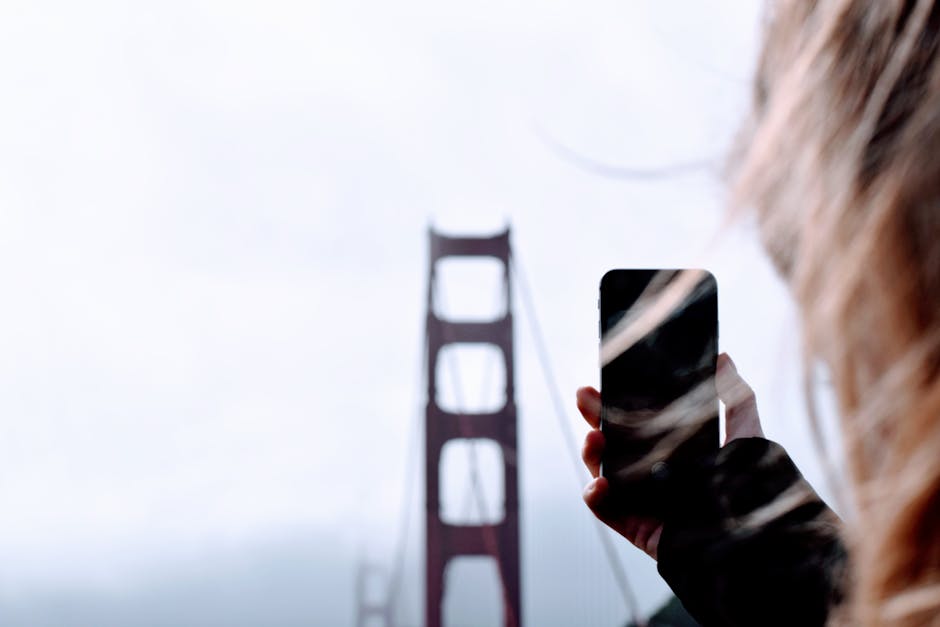
Divides your screen. Nine parts. Use ’em to guide you. Put your subject on a line. Vertical. Horizontal. Or where lines cross. Makes the picture way better. Say you’re filming someone. Eyes on that top line? Try it. Golden Gate Bridge, wide shot. Put it on a side line, not center. Totally different feel. Way cooler. But for like, a super boss heroic shot? Get your phone low. Below their face. Pull back slow. Zoom out. Makes ’em look huge. Epic.
Frequently Asked Questions
Q: Why shoot 4K/8K for big moments?
A: Higher resolution vid – 4K or 8K – lets you grab awesome photos from it later. Basically, turns video into super good pics.
Q: What’s the “3-shot sequence”? Why use it for California Travel Video Tips?
A: It means breaking one event into three shots: wide, medium, close-up. Not one long take. Makes your videos much more lively. Engaging. Looks pro. Like telling a story. Beginning, middle, end.
Q: Tripod/stabilizer means no movement in my vids?
A: Nah, not at all! Tripods are for still shots, steady stuff. But you can totally still move. If your phone’s got optical image stabilization, turn it on. For all your smooth, planned moves.